A native meeting assistant for Mac

Your next line,
in sight.

Follow a live transcript, glance at suggested answers below your camera, and leave with notes that link back to what was said.

Apple Silicon macOS 14+

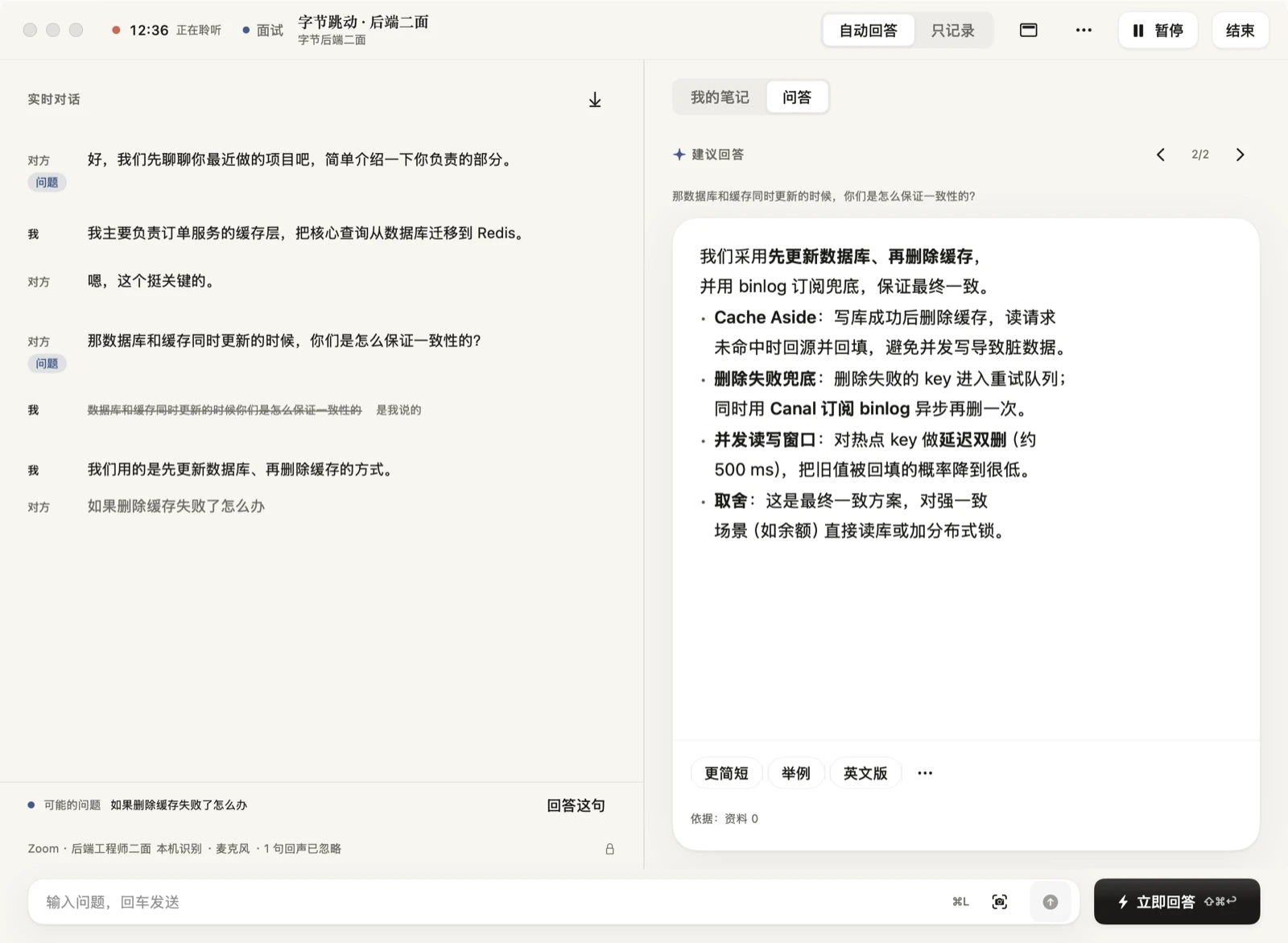
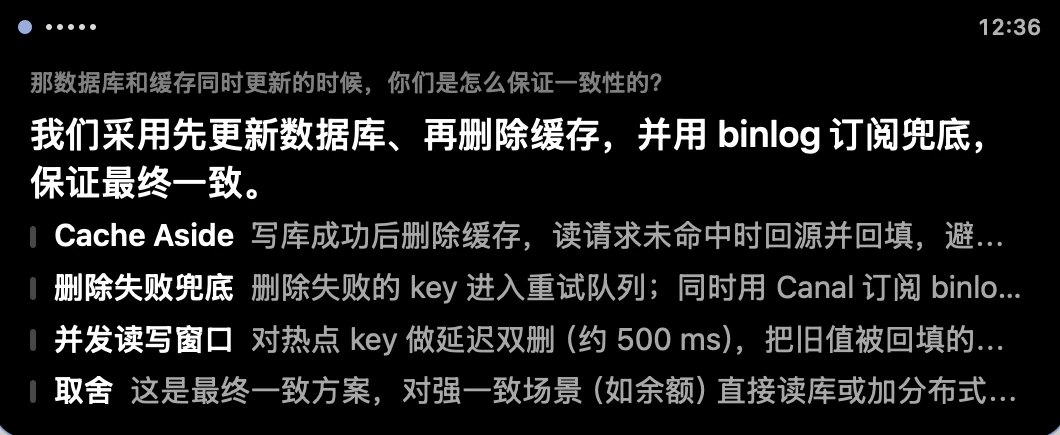
NextThought’s live transcript and suggested answer window The cue island shows talking points below the camera
Cue island and live session · Mac app demo

Product tour

What a meeting looks like

An interview and a lab meeting call for different help. Each scene sets how cues and notes work. Change those defaults any time in Settings.

Bring your materials

Pick a scene such as an interview, lab meeting, or presentation. Add a résumé, agenda, or slides. In a recurring series, the app carries forward your materials and the lessons you confirmed.

PDF, Word, PowerPoint, Excel, Markdown, and images
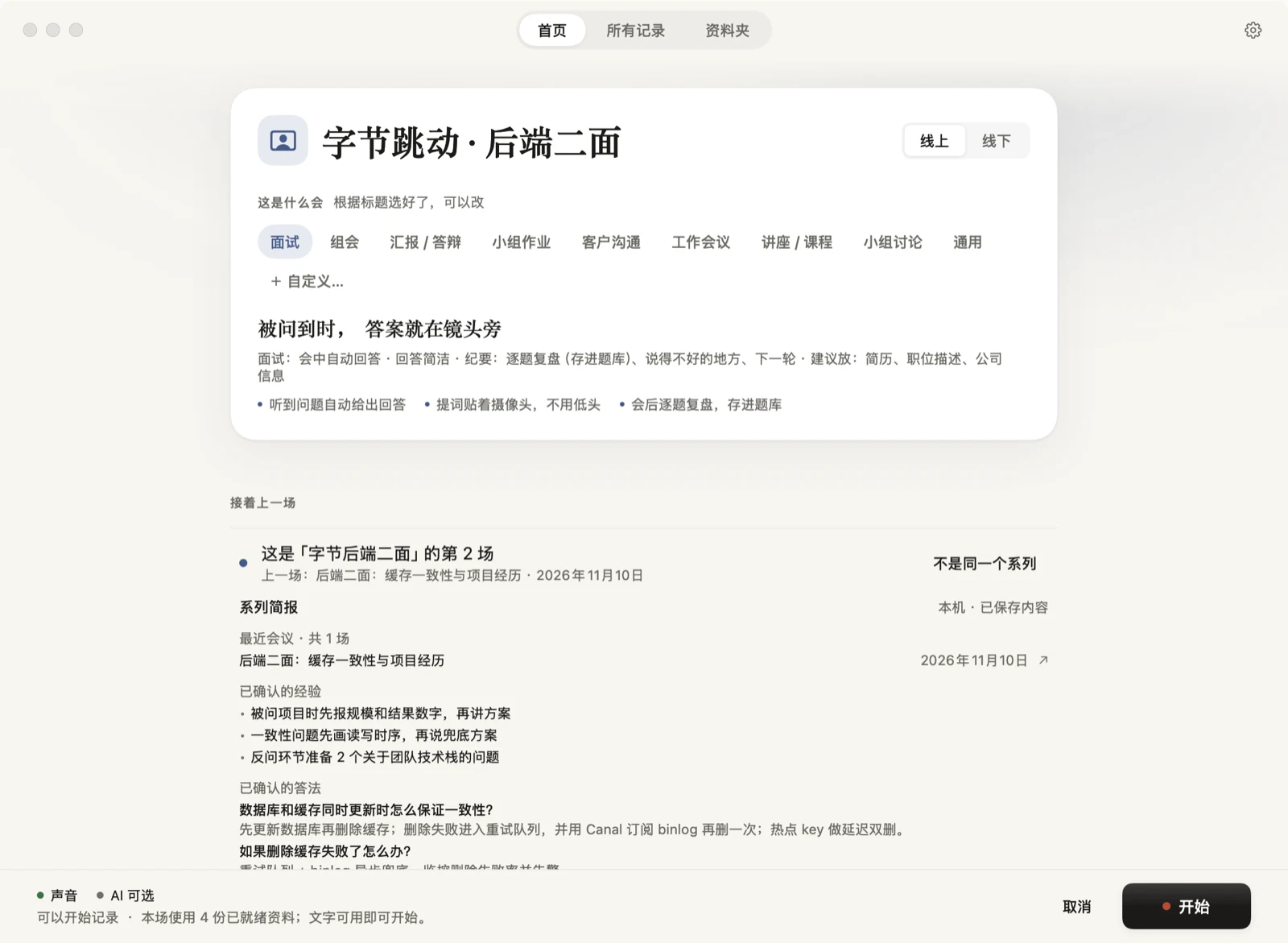
The preparation screen shows the meeting scene, series history, and Start button
Mac app demo · Chinese interface View full size

See the key points as questions come up

Follow the live transcript on the left and suggested answers on the right. With an answer service connected, you can have the app detect questions automatically or switch to Record Only and ask for help when you need it.

Press ⌘⇧Return to request an answer

The live session shows the transcript on the left and a suggested answer on the right
Mac app demo · Chinese interface View full size

Go back to exactly what was said

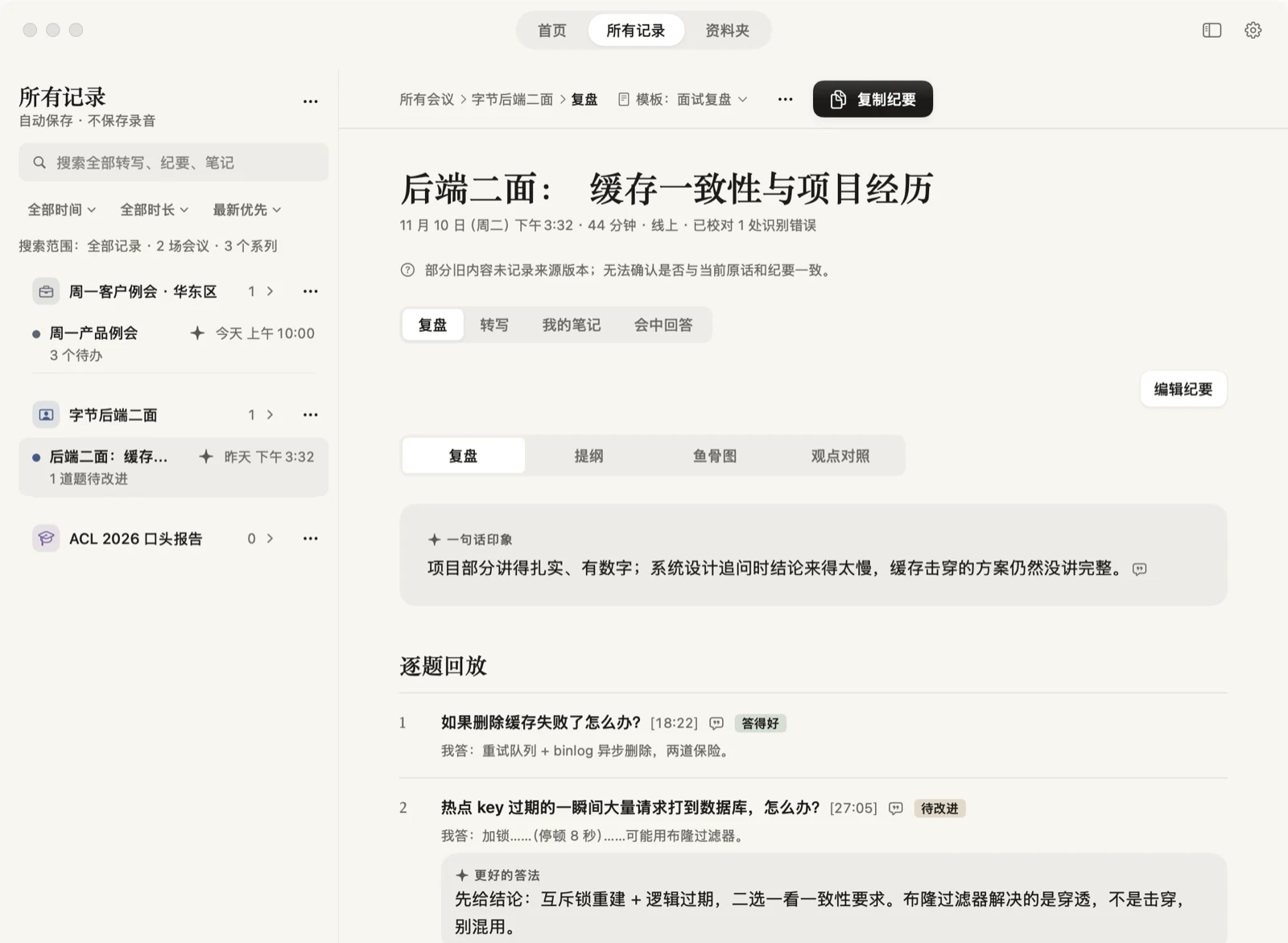
Generate notes for the occasion, with decisions and action items or a question-by-question interview review. Open a citation to check the original transcript before your next discussion.

Generated notes use your answer service. You can turn them off in Settings.

The review screen shows interview questions and their timestamps
Mac app demo · Chinese interface View full size

Getting started

Start your first meeting

Try a short conversation in Record Only mode. Once you see the transcript, you can connect an answer service if you want suggestions.

  1. Install on your Mac

    When the download is available, open the disk image and drag NextThought into Applications. You’ll need Apple Silicon and macOS 14 or later.

  2. Choose a scene and audio source

    Give the meeting a name and follow the audio permission prompts. Use system audio and the mic for online calls, or the mic for in-person meetings. Ask participants for consent before recording.

  3. Turn on suggested answers when you need them

    The website edition uses your NextThought account and Pro subscription. Sign in, enable cloud answers in Settings, and ask a question or turn on live cues.

Privacy

Where your meeting data goes

You control transcription, answers, and backups in separate settings.

On-device transcription and records
By default, your Mac transcribes speech and discards the raw audio. Meeting records, imported materials, and restore points are stored on your Mac. If you opt in to cloud speech recognition, audio goes to that provider.
Cloud answers and notes
NextThought and its model provider process cloud answers. Asking a question or generating notes sends the relevant question, meeting transcript and excerpts from your materials. A screenshot question also sends the screenshot.
What backup encryption covers
You can password-encrypt the entire file when you export a backup. Exports containing API keys or access tokens require a password. You can also encrypt your local meeting library in Settings to protect its transcripts, materials and restore points. Settings shows where the original unencrypted copy remains after migration. Custom dictionaries and templates in system preferences, and files exported elsewhere, need separate protection.

Official store

Get NextThought

Check availability for the Mac app, web accounts, and subscriptions.

Download for Mac

Apple Silicon macOS 14+

Download unavailable

NextThought account

Create an account or sign in on the web.

Registration and sign-in unavailable

NextThought Pro

Pro includes a cloud answer allowance each billing period. View your balance and manage renewal from your account. Checkout shows the price and billing interval.

Subscriptions unavailable

Common questions

Do I need an answer service for transcription?

Record Only and on-device transcription work on their own. Suggested answers and generated notes require an answer service.

Where can I change the app language?

Open All Settings, then choose Language under General. The Mac app is available in English and Simplified Chinese.